Midjourney vs DALL-E vs Stable Diffusion: which is the best AI image generator in 2026?

Three generators. Three philosophies. When someone asks “midjourney vs dalle or Stable Diffusion?”, the honest answer is that each one was built for a different kind of user, and the wrong choice means paying more, training your hand on the wrong tool, or running into creative limits you shouldn’t be facing.
In this comparison, you’ll find a practical breakdown of Midjourney v7, DALL-E 4 (built into ChatGPT) and Stable Diffusion 3.5 (with forks like Flux and SDXL). We evaluate style, pricing, quality, community, technical control and real-world use cases, so you can decide based on usage, not hype.
Overview: three distinct approaches
Before comparing features, it’s worth understanding each tool’s philosophy — because that shapes how you’ll work day to day.
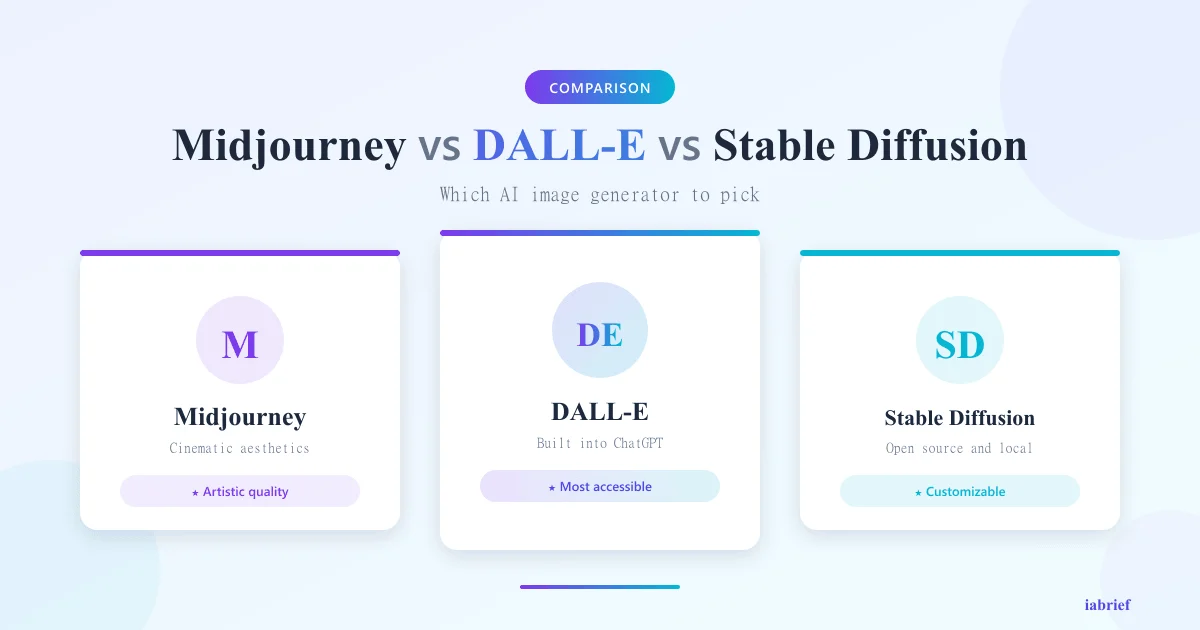
Midjourney is a generator focused on artistic aesthetics. It was trained with a strong bias toward images with cinematic composition, dramatic lighting and cohesive style. The main interface is Discord (with a mature web app in 2026). You describe a scene and the tool delivers something beautiful, even if you don’t know how to write prompts.
DALL-E 4 is OpenAI’s generator integrated into ChatGPT. Its core trait is literalness: it follows precise instructions, generates legible text inside images and understands natural-language prompts without artistic modifiers. It’s the most accessible tool for people who don’t want to learn prompt engineering.
Stable Diffusion is the open source generator maintained by Stability AI and a huge community. It runs locally (with a decent GPU) or in cloud services. It allows extreme technical control: LoRAs, ControlNet, advanced inpainting, custom fine-tuning. It’s the choice for those who want to bend the model to their will, and have patience to learn.
Midjourney v7 in detail
Strengths
- Out-of-the-box aesthetic quality: simple prompts produce professionally composed images
- Cohesive style: great for projects requiring consistent visual identity (campaigns, illustration series)
- Active Discord community with public prompt galleries for inspiration
- Specialized modes: niji (anime), raw (less post-processed), turbo (faster)
- Mature Vary Region and Pan/Zoom for iterative editing
Weaknesses
- Text inside images is still flawed (DALL-E 4 leads here)
- Limited literalness: complex prompts with multiple elements may be ignored
- No local generation: 100% cloud-dependent
- No robust official API for at-scale automation (despite improvements in 2026)
Pricing
- Basic: US$ 10/month, ~200 images
- Standard: US$ 30/month — unlimited generation (slow queue past quota)
- Pro: US$ 60/month, generous fast hours, stealth mode
- Mega: US$ 120/month — for intensive professional use
DALL-E 4 in detail
Strengths
- Follows literal instructions with the highest fidelity of the three
- Text inside images legible and correct in most cases
- ChatGPT integration: you converse with the model to refine images in natural language
- Conversational inpainting: “make the sky bluer and remove the red car” works
- Near-zero learning curve: ideal for first-time generative AI users
Weaknesses
- Less artistic style by default, images tend toward “competent but soulless”
- Less fine-grained control: no LoRAs, no ControlNet, no direct seed adjustment
- Pricing tied to ChatGPT Plus (US$ 20/month), no dedicated image plan
- Usage limits in Plus may frustrate heavy daily users
Pricing
- Free: limited generations per day in ChatGPT free
- ChatGPT Plus: US$ 20/month — practically unlimited generation for individual use
- API: paid per image (US$ 0.04 to US$ 0.12 depending on resolution)
Stable Diffusion 3.5 (and ecosystem) in detail
Strengths
- Open source: weights available, no lock-in
- Runs locally on consumer GPUs (RTX 4070+ comfortable; RTX 3060 with quantized models)
- Extreme customization: LoRAs trained on specific styles, ControlNet for pose/depth, fine-tuning with your own data
- Massive community on Civitai, Hugging Face and Reddit with thousands of derivative models
- Zero per-image cost after hardware investment
- Privacy: nothing leaves your machine
Weaknesses
- Steep learning curve: ComfyUI, AUTOMATIC1111, negative prompts, samplers
- Local setup requires time, disk space (models weigh 6-15 GB each) and GPU
- Out-of-the-box quality below Midjourney on the base model, needs LoRAs and refiners
- Fragmented official support: Stability AI went through restructuring
Pricing
- Local: free (electricity cost + GPU amortization)
- Cloud (RunPod, Replicate, Together): US$ 0.002 to US$ 0.01 per image
- Official Stability API: plans starting at US$ 20/month
Head-to-head comparison
| Criterion | Midjourney v7 | DALL-E 4 | Stable Diffusion 3.5 |
|---|---|---|---|
| Default artistic quality | Excellent | Good | Average (rises hard with LoRA) |
| Prompt literalness | Average | Excellent | Good |
| Text in images | Weak | Excellent | Average |
| Learning curve | Low | Minimal | High |
| Fine technical control | Limited | Limited | Total |
| Runs locally | No | No | Yes |
| Automation API | Limited | Robust | Robust |
| Community/models | Curated gallery | Small | Massive (Civitai) |
| Entry pricing | US$ 10/month | US$ 20/month (Plus) | Free (with GPU) |
| Per-image cost at scale | High | Medium | Low |
| Privacy | Cloud (public on Basic) | Cloud | Local possible |
When to use each one
Use Midjourney if you:
- Are a designer, illustrator, art director or creative who needs beautiful results without technical effort
- Work with moodboards, key art, covers, posters, visual concepts
- Value aesthetic consistency across multiple images in the same campaign
- Don’t want to deal with local setup or learn ComfyUI
- Are willing to pay US$ 30-60/month to save iteration hours
Use DALL-E 4 if you:
- Need the image to follow the brief exactly, especially with legible text
- Already subscribe to ChatGPT Plus and want the included Image feature
- Work with educational content, slides, infographics, didactic posts
- Have no patience for prompt engineering
- Want to iterate by chatting with the model (“now make it more minimalist”)
Use Stable Diffusion if you:
- Are a developer, researcher or studio needing a cheap API at scale
- Want to train custom models (your brand, character, style)
- Need total privacy (data cannot leave the machine)
- Work with complex workflows: ControlNet, precision inpainting, frame-by-frame video
- Have a decent GPU and curiosity to learn tools like ComfyUI
Real-world use cases
Marketing and social media: Midjourney dominates. Aesthetic consistency across posts and iteration speed make up for the subscription price. DALL-E 4 becomes the option when the post needs precise text (visual quote, banner with a headline).
Education and didactic content: DALL-E 4 is the obvious choice. Diagrams with correct labels, illustrations that follow the brief, ChatGPT integration for text + image in the same flow.
At-scale production (e-commerce, catalogs, mockups): Stable Diffusion via API. Per-image cost 10-50x lower than competitors, seed control for reproducibility, fine-tuning for brand patterns.
Concept art for games and film: Midjourney + Stable Diffusion combined. Midjourney for fast initial exploration, SD with ControlNet to refine poses, composition and specific details.
Accessibility and descriptive generation: DALL-E 4 leads because it follows literal instructions, useful for material that needs to be predictable and auditable.
What about video and animation?
In 2026, the three take different paths:
- Midjourney launched short animation mode (4-6s clips) with high aesthetic quality but limited control
- DALL-E 4 is still purely static; OpenAI separated video into Sora
- Stable Diffusion has the most mature ecosystem: AnimateDiff, Stable Video Diffusion, ComfyUI integrations for frame-by-frame pipelines
If video is a priority, Stable Diffusion (or dedicated tools like Runway, Pika, Sora) makes more sense than Midjourney or DALL-E.
Conclusion: there is no absolute winner
The right question isn’t “which is the best AI image generator?” — it’s “what’s the task and who’s the user?”.
- Midjourney v7 wins on aesthetic quality and creative speed
- DALL-E 4 wins on literalness, text in images and ease of use
- Stable Diffusion 3.5 wins on control, customization and at-scale cost
For most professionals in 2026, the smart strategy is to own at least two: a “main” tool aligned with your work plus a secondary for tasks where the main fails. E.g., Midjourney for art + DALL-E for slides with text. Or Stable Diffusion for production + Midjourney for fast exploration.
If you can only pick one to start: Midjourney if you’re a visual creative, DALL-E if you’re a generalist using images as support, Stable Diffusion if you’re a dev or have scale/privacy needs.
For more comparisons like this, see our guide to the leading AI models in 2026 and our review on AI code editors.
FAQ
Is Midjourney better than DALL-E?
For aesthetic quality and artistic style, yes. For following literal instructions and generating text inside images, DALL-E 4 is better.
Is Stable Diffusion really free?
The models are open source and free. You need a local GPU (hardware cost) or a cloud service (per-image cost, usually low).
What’s the best for beginners?
DALL-E 4 via ChatGPT, you just describe what you want in natural language.
What’s the cheapest at scale?
Stable Diffusion via API or local. Per-image cost can be 10x lower than Midjourney or DALL-E at high volumes.
Can I use generated images commercially?
Midjourney: yes, on paid plans. DALL-E 4: yes, with some restrictions. Stable Diffusion: depends on the model (some Civitai LoRAs have restrictive licenses — read first).
Which generates the best text inside images?
DALL-E 4, by a wide margin. Midjourney v7 has improved but still misses. SD 3.5 sits in the middle.
Article produced in May 2026. Pricing and features based on public data available at publication.
Related reading
To go deeper, we recommend these iabrief articles:
- OpenAI’s $852 Billion Valuation in 2026: The Largest Private Funding Round in History
- Week in AI: agents at work, Gemini in cars and AI beating doctors (May 3, 2026)
- How to Use Google Veo 3.1 to Create AI Videos: Step-by-Step Tutorial (2026)
Official sources
For deeper context, see the official sources and authoritative references below: