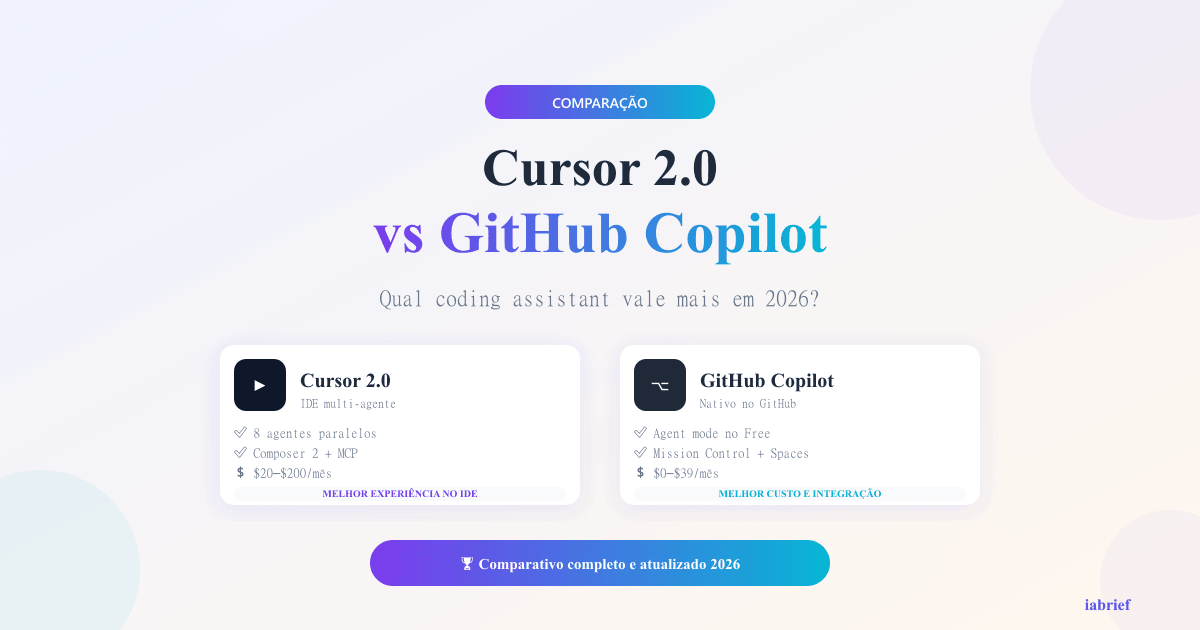
Cursor 2.0 vs GitHub Copilot in 2026: Which Coding Assistant Is Worth It

The AI coding assistant market consolidated fast in 2026. Two names dominate the conversation: Cursor 2.0, the AI-first IDE that launched in late 2025 with parallel agents, and GitHub Copilot, which expanded its agent mode to the Free plan and reorganized its paid tiers. Choosing between them is no longer about autocomplete quality. It is about how you want to delegate work to AI inside your editor.
If you are a solo developer, the $20/month subscription needs to pay for itself in time saved. If you lead an engineering team, you are weighing cost per seat against productivity gains and code review overhead. Both tools changed enough in the past 12 months to justify a fresh comparison from scratch.
This article walks through what changed in each platform, where they win and lose head-to-head, and how Claude Code fits into the picture as a third option that some teams now prefer. By the end, you will know which assistant matches your workflow, and when paying for both actually makes sense.
What changed in Cursor 2.0: parallel agents and Composer 2
Cursor released version 2.0 in October 2025 and the headline feature is parallel agents. You can now run up to eight AI agents at the same time, each isolated in its own git worktree, working on independent tasks without stepping on each other.
This sounds incremental until you actually use it. Imagine refactoring three modules while a fourth agent writes tests for a feature you finished yesterday. The Multi-Agent Interface lets you queue tasks, watch progress, and merge results selectively.
The other major launch is Composer 2, Cursor’s proprietary coding model. According to the official changelog, Composer 2 is roughly four times faster than comparable models on agentic coding tasks while matching their quality on most benchmarks.
Other notable changes in version 2.0:
- Browser-based agent: agents can now navigate documentation and test web apps directly
- Improved code review: a redesigned diff viewer that surfaces semantic changes faster
- Native voice mode: dictate prompts hands-free, useful for pair-programming sessions
- Sandboxed terminals: agents run shell commands in isolated environments by default on macOS
If you have not touched Cursor since version 1.x, the upgrade is significant enough to justify a fresh trial. Want a complete walkthrough of the new interface? Check our Cursor tutorial.
GitHub Copilot in 2026: agent on Free plan and expanded Pro+
GitHub took a different path in 2025-2026. Instead of a single big release, Copilot rolled out incremental updates that matter for who actually pays for the tool.
The biggest news: Copilot agent mode is now available on the Free plan, with monthly limits. Free users get up to 2,000 code completions and 50 chat or agent messages per month. For students, hobbyists, and devs evaluating the tool, this lowers the entry barrier to zero.
The paid tiers were also restructured:
- Copilot Pro ($10/month): unlimited completions, unlimited chat with GPT-5 mini, premium model requests included
- Copilot Pro+ ($39/month): more premium requests, priority access to Claude Sonnet 4.5, GPT-5, and Gemini 2.5 Pro
- Copilot Business ($19/seat): corporate management, audit logs, IP indemnification
- Copilot Enterprise ($39/seat): knowledge bases over private repos, custom models
The other significant addition is Spaces, a feature that lets you organize context (specific files, docs, references) into a workspace that the agent considers when responding. It functions similarly to Cursor’s Notepads but lives directly inside the GitHub UI and works in the web flow.
Pro tip: if you already pay for GitHub Team or Enterprise, your seats may include Copilot Business at no extra cost. Check your organization billing before paying for Pro out of pocket.
For a deeper look at GitHub Copilot’s interface and best practices, see our Copilot tutorial.
Feature comparison: autocomplete, chat, multi-file editing, agent mode
Both tools cover the same four pillars, but the execution differs dramatically. Here is what matters in daily use.
Autocomplete
Cursor uses Tab Completion with a proprietary model fine-tuned for next-edit prediction. It does not just complete the current line — it predicts the next change you will likely make and shows it ahead of time.
Copilot uses GPT-based autocomplete that has matured a lot in 2025. It is fast, accurate for common patterns, and integrates seamlessly with VS Code. For pure line-by-line completion, the difference between them is marginal today.
Chat and inline edits
Both have a chat sidebar and inline edit mode. Cursor’s Composer 2 shines in tasks that touch multiple files because it was trained specifically for this. Copilot has caught up significantly with Spaces and improved context management, but it still asks the user more questions about which files to consider.
Multi-file editing
This is where Cursor’s lead is clearest. Composer 2 can refactor an entire feature touching 10-15 files in a single command, with a coherent diff for review. Copilot can do this too, but the workflow is more fragmented, you typically need to guide it file by file or build a Space upfront.
Agent mode
Cursor’s parallel agents are unique. Copilot has a single asynchronous agent (Coding Agent) that runs in the background and opens pull requests, but you cannot run multiple in parallel from the same UI in the same fluid way.
For three or more concurrent tasks, Cursor wins by design. For a single task that you want to delegate and review later via PR, Copilot Coding Agent works well — and the GitHub-native PR flow is a real advantage if your team already lives there.
Pricing: Cursor Pro vs Copilot Pro, is the difference worth it?
Pricing is the conversation that ends most internal debates. Let’s lay it out cleanly.
| Plan | Cursor | GitHub Copilot |
|---|---|---|
| Free | 2 weeks Pro trial, then limited usage | 2,000 completions + 50 messages/month |
| Pro | $20/month | $10/month |
| Pro+ | $60/month (Ultra) | $39/month |
| Business | $40/seat | $19/seat |
| Enterprise | Custom | $39/seat |
At first glance, Copilot is cheaper across the board. But the comparison is not 1:1. Cursor Pro includes more premium model requests (GPT-5, Claude Sonnet 4.5) than Copilot Pro at the same usage level. If you use the agent intensively, Cursor’s $20 frequently delivers more value than Copilot’s $10.
Three scenarios where the math changes:
- Casual user (autocomplete + occasional chat): Copilot Pro at $10 wins easily
- Power user (agent mode daily, multi-file edits): Cursor Pro at $20 pays for itself
- Team lead evaluating seats: Copilot Business at $19 is hard to beat unless your team relies heavily on parallel agents
Want a deeper comparison including a third option? Read our 3-way comparison including Cody.
Real-world performance: tests in Python, TypeScript, and React
To go beyond marketing claims, we ran three identical tasks on each tool using the same context and prompts. Results below.
Test 1: Python — refactor a 400-line script into modules
The script was a CLI tool with mixed responsibilities (parsing, validation, persistence). Goal: separate into three clean modules with passing tests.
- Cursor 2.0 (Composer 2): completed in 4 minutes, generated 4 files, all tests passed on the first run
- Copilot (Pro+ with Claude Sonnet 4.5): completed in 6 minutes, required two follow-up rounds to pass tests
Cursor won for raw speed and test stability. Copilot delivered cleaner code that was arguably easier to review.
Test 2: TypeScript, migrate React component class to hooks
Legacy component with 200 lines, lifecycle methods, and refs. Goal: full migration to functional component with hooks while preserving behavior.
- Cursor 2.0: 3 minutes, kept the existing TypeScript interface intact
- Copilot: 4 minutes, suggested type improvements during the migration that we kept
This time it was Copilot that delivered better code, even though it was slightly slower. The proactive type suggestions added real value.
Test 3: React — add accessibility (a11y) to existing form
Form with 8 fields, no aria-labels, missing error association. Goal: full WCAG 2.1 AA compliance.
- Cursor 2.0: completed all changes, including aria-live for dynamic errors
- Copilot: completed most changes but missed two non-obvious aria-describedby
Cursor was more thorough on a11y, likely because Composer 2 was trained more aggressively on accessibility patterns.
Pro tip: for refactoring tasks, Cursor’s parallel agents let you split a large refactor into independent slices and merge them at the end. This trick alone has saved us hours on large codebases.
Claude Code vs Cursor vs Copilot, the triangle every dev should know
It would not be honest to write this article in 2026 without mentioning Claude Code. Anthropic’s terminal-native coding agent has gained serious adoption in the past 12 months and competes directly with Cursor and Copilot — but in a different format.
Claude Code is not an IDE. It is a CLI that runs in your terminal and edits files directly in the project. The trade-off is clear: you give up the visual editor and gain raw power and full control.
Quick comparison of the triangle:
- Cursor 2.0: best for devs who want a complete AI-first IDE with rich UI
- GitHub Copilot: best for teams already on GitHub who want native integration
- Claude Code: best for power users who prefer terminal and want to chain AI commands with shell scripts
Many devs we know in 2026 use two of the three at the same time. Common combinations:
- Cursor for daily editing + Claude Code for one-off automations
- Copilot in VS Code + Claude Code for autonomous tasks
- Cursor + Copilot Business (paid by company) for redundancy
The cost of running two tools is not insignificant ($30-60/month combined), but for senior devs the productivity gain typically justifies it.
Final recommendation by profile: beginner, solo dev, and engineering team
After all the comparisons, here is the practical decision tree.
If you are a beginner (0-2 years of experience)
Start with GitHub Copilot Free. The 2,000 monthly completions plus 50 chat messages are enough to learn how to use AI as a coding partner without committing money or commitment. After 3-6 months, evaluate whether you need to upgrade.
Avoid Cursor at this stage. Not because it is bad, but because the learning curve of an AI-first IDE on top of learning to code can be overwhelming.
If you are a solo dev or freelancer
The right answer is almost always Cursor Pro at $20/month. Composer 2 plus parallel agents pay for the difference in 2-3 hours saved per month. If you work with multiple clients/projects in parallel, the gain is even greater.
Exception: if 80% of your work is already inside GitHub (issues, PRs, Actions), Copilot Pro at $10 with deep ecosystem integration may be enough.
If you are leading an engineering team (5-50 devs)
The decision is more nuanced and depends on three factors:
- Existing GitHub stack: if everyone already lives on GitHub, Copilot Business at $19/seat is the path of least resistance
- Refactor-heavy work: if your team does many large migrations, Cursor Business at $40/seat returns more
- Hybrid budget: provide Copilot to everyone (cheap baseline) and Cursor Pro reimbursement to senior devs who request it
Hybrid is what we have seen working best in mid-sized teams in 2026. Total cost is contained, and the senior devs who actually push refactors get the right tool.
Conclusion
The choice between Cursor 2.0 and GitHub Copilot in 2026 is no longer about which has better autocomplete, they are tied there. The decision lives in three other axes: multi-file workflow (Cursor wins), GitHub native integration (Copilot wins), and cost per seat at scale (Copilot wins).
Our pragmatic recommendation: try Cursor for two free weeks while keeping Copilot Free active. After 14 days, you will know in your gut which one matches your workflow. The choice does not need to be permanent — many devs swap tools every 6-12 months as the platforms evolve.
And do not ignore Claude Code as a third path. The 2026 landscape rewards those who combine multiple AI assistants strategically rather than betting everything on a single tool.
Sources consulted
- Cursor official changelog, Cursor 2.0 release, Composer 2, parallel agents
- GitHub Copilot plans — official pricing, Free / Pro / Pro+ / Business / Enterprise tiers
- GitHub Copilot features page — agent mode, Spaces, model availability