How to Use DALL-E 3: A Practical Guide to Creating AI Images

DALL-E 3 is OpenAI’s image generator integrated into ChatGPT. Unlike other tools that demand specific prompt syntax, DALL-E 3 understands natural language — you describe the image the way you would describe it to a friend, and the model delivers the result in seconds. That approach makes it the ideal entry point for anyone exploring generative AI for images.
In this guide you will learn how to access DALL-E 3 (free and paid), how to write effective prompts, how to edit images inside the chat itself, what limitations to expect, and when it is worth migrating to Midjourney or Stable Diffusion.
What DALL-E 3 Is and What Makes It Different
DALL-E 3 is the third generation of OpenAI’s image model, launched in 2023 and deeply integrated into ChatGPT from 2024 onward. Its main strength is prompt adherence: it understands long descriptions, keeps specific details, and rarely “invents” elements you did not ask for.
While Midjourney requires technical syntax (parameters, visual terms, styles), DALL-E 3 accepts conversational prompts. You can ask for “a watercolor illustration of a cozy café in Paris in winter, with people chatting near the window and snow falling outside” and get exactly that — without needing to know aspect ratio codes or terms like “cinematic backlight.”
Another advantage is native ChatGPT integration. You can ask for an image and, in the same conversation, refine, edit specific regions, adjust style, or swap elements. No separate tab, no extra login, no queue.
How to Access DALL-E 3
DALL-E 3 is available through three main paths. Each with its own pricing and usage caps:
1. ChatGPT Free (limited access)
Free ChatGPT users get a small number of DALL-E 3 generations per day. The cap is deliberately low (typically 2–3 images) to preserve capacity for paid plans. Good for trying it out, insufficient for ongoing use.
2. ChatGPT Plus ($20/month)
Near-unlimited DALL-E 3 access inside ChatGPT, with fair-use limits. For most creators and professionals, this is the ideal plan — you also get GPT-4o, o3 reasoning, voice, web search, and other integrations.
3. OpenAI API (pay-as-you-go)
To integrate image generation into your own products, the DALL-E 3 API charges per generated image. Pricing varies by size and quality (standard or HD). Ideal for SaaS, e-commerce platforms, and internal tooling.
4. Microsoft Copilot and Designer (free with limits)
Microsoft licenses the DALL-E 3 model and offers free access via Copilot and Microsoft Designer. It uses “boosts” (daily credits) that auto-renew. A great alternative for users without ChatGPT Plus.
For most people, the recommendation is to start with ChatGPT Free to test, then upgrade to Plus if usage becomes recurring.
Step by Step: Your First DALL-E 3 Image
The flow inside ChatGPT is direct:
1. Go to chat.openai.com and sign in.
2. Start a new conversation. No need to pick a specific model — ChatGPT auto-detects when a request involves image generation.
3. Describe the image you want. Use natural language: “Create an illustration of a fox reading a book under a cherry blossom tree, Studio Ghibli style, pastel palette.”
4. Wait 10–30 seconds. ChatGPT generates 1 or 2 variations.
5. Refine via chat. “Can you warm up the lighting?” or “Switch the style to photorealism.” The model applies the change while keeping the rest of the image consistent.
6. Download or share. Each image has a direct download button. Images generated on Plus are yours for commercial use, per OpenAI’s terms.
Note that ChatGPT sometimes “polishes” your prompt internally before sending it to DALL-E 3. To see exactly what was sent, ask “show me the expanded prompt you used.”
How to Write Effective Natural Language Prompts
The golden rule of DALL-E 3 is: describe the image the way you would describe it to a professional illustrator. The more narrative and visual context you provide, the better the result.
Recommended structure:
- Main subject (who or what appears)
- Action or state (what is happening)
- Setting and environment (where it takes place)
- Visual style (photography, illustration, 3D, watercolor…)
- Lighting and atmosphere
- Specific relevant details
Weak prompt:
“Happy dog.”
Strong prompt:
“A golden retriever puppy running across a sunny garden, documentary-style photography, shallow depth of field, late-afternoon golden hour, capturing the joyful expression and the motion of its ears.”
The difference is not just in description, but in creative direction. DALL-E 3 performs better when you explain not only what, but how the image should be interpreted visually.
Extra tips:
- Mention the desired format (“horizontal 16:9 image,” “square for Instagram”)
- Cite style references (“Pixar style,” “New Yorker editorial illustration,” “90s analog photography”)
- Specify what you do NOT want (“no text in the image,” “no people in the background”)
- For visible text in the image (signs, banners), use quotes: “a sign that reads ‘Breakfast'”
Inline Editing and Refinement in Chat
One of DALL-E 3’s most underrated advantages is conversational editing. You do not need to regenerate an image from scratch — just ask for changes.
Global edits:
“Keep the composition, but change the sky to a purple and orange sunset.”
Partial edits (inpainting):
Click the generated image and pick the edit tool. Paint over the region you want to change and describe the change: “replace the tree with a wooden cabin.”
Variations:
“Create 3 variations of this image with different seasons.”
Style change while keeping content:
“Redo this image in Japanese watercolor style.”
That conversational flow is unique to DALL-E 3 and makes iteration extremely smooth — a clear edge over Midjourney, where every refinement requires a new full prompt.
Quick Comparison: DALL-E 3 vs Midjourney vs Stable Diffusion
For anyone choosing a primary image generator, a practical comparison helps:
| Criterion | DALL-E 3 | Midjourney | Stable Diffusion |
|---|---|---|---|
| Access | ChatGPT (web/app) | Discord/Web app | Local or cloud |
| Learning curve | Low | Medium | High |
| Prompt adherence | Very high | High | Variable |
| Photorealism quality | High | Very high | High with custom models |
| Inline editing | Native via chat | Vary region | Inpainting via UI |
| Text in image | Good | Medium | Medium |
| Starting price | Free / $20 | $10/month | Free (local) |
| Advanced customization | Limited | Medium | Full |
Choose DALL-E 3 when: you want simplicity, conversational editing, and you already use ChatGPT.
Choose Midjourney when: cinematic aesthetics are the priority and you do not mind learning syntax.
Choose Stable Diffusion when: you need full control, custom models, or local execution without per-image costs.
For total beginners, the recommended path is DALL-E 3 → Midjourney → Stable Diffusion as your needs grow. Our how to use Midjourney guide is a natural next step.
Real Use Cases for DALL-E 3
DALL-E 3 shines in specific niches:
Editorial and blog content: quick image generation for posts without stock-photo costs or copyright risk.
Presentations and slides: themed icons, conceptual illustrations, section covers.
Visual brainstorming: turning ideas into rough visual drafts to validate with team or client before a real production.
Educational material: teachers and course creators use DALL-E 3 to illustrate abstract concepts quickly.
Social media marketing: custom visual posts for LinkedIn, Instagram, and Twitter without a dedicated designer.
Initial mockups: product, packaging, and campaign ideation — always as a starting point, not a final deliverable.
It is not the right tool for: highly polished concept art, precise technical illustration, finished graphic design with complex typography, or cases where exact reproducibility matters.
Important DALL-E 3 Limitations
Even though it is simple and powerful, DALL-E 3 has clear limits:
Long text inside images still fails. Short phrases work fine, but paragraphs or text longer than 8–10 words usually come out with errors.
Restrictive content filters. OpenAI blocks generation of well-known real people, violent or sexual content, and some brands. Good for corporate use, frustrating for some artistic cases.
No fine seed control. Unlike Stable Diffusion, you cannot reproduce an exact image with controlled small variations.
Default resolution. Images are generated at 1024×1024, 1024×1792, or 1792×1024. For larger sizes you need external upscalers.
More “polished” style and less versatile. In very specific styles (niche anime, technical illustration, experimental photography), Midjourney and custom Stable Diffusion models do better.
Usage caps shift. ChatGPT can throttle quotas dynamically during peak hours. Do not count on unlimited generation even on Plus.
Beginner Tips to Get More Out of DALL-E 3
Use complete sentences, not loose keywords. DALL-E 3 was trained to understand narrative context.
Iterate in rounds. Start simple, refine via chat. More efficient than trying to nail everything in one shot.
Specify aspect ratio. “Vertical image for Instagram Stories” gets better framing than just “an image.”
Combine styles. “Watercolor style with cyberpunk palette” produces original, unique results.
For photorealism, mention camera and lens. “Photo with DSLR camera, 85mm lens, f/1.8 aperture” produces more realistic outputs.
Save winning prompts. Build a doc of formulas that worked so you can reuse them — especially efficient for recurring content (blog covers, icons, etc.).
FAQ
Is DALL-E 3 free?
Partly. ChatGPT Free gives limited access to 2–3 images per day. For ongoing use, you need ChatGPT Plus ($20/month) or you can use Microsoft Copilot/Designer, which offer free daily credits.
Can I use DALL-E 3 images commercially?
Yes. OpenAI grants commercial rights over images generated on any plan. You can use them in products, marketing, posts, and even physical merchandise, subject to the platform’s terms.
Why can’t DALL-E 3 render long text in an image?
Diffusion models treat text as a visual element, not a linguistic one. Short phrases (2–5 words) tend to work; paragraphs almost always come out with errors. For images with precise text, generate the base image with DALL-E 3 and add typography afterwards in Photoshop or Canva.
Is DALL-E 3 better than Midjourney?
It depends on the use case. DALL-E 3 wins on ease of use, conversational editing, and ChatGPT integration. Midjourney wins on aesthetic quality and fine artistic control. Many professionals use both — DALL-E 3 for fast ideation, Midjourney for final deliverables with cinematic look.
How can I access DALL-E 3 without paying for ChatGPT Plus?
Use Microsoft Copilot (copilot.microsoft.com) or Microsoft Designer (designer.microsoft.com). Both run the DALL-E 3 model with free daily credits. Bing Image Creator also runs DALL-E 3 at no cost.
Conclusion
DALL-E 3 is the most welcoming entry point into AI image generation. The combination of natural language prompts, in-chat editing, and ChatGPT integration makes the learning curve almost zero — within minutes anyone is creating publishable images.
For most casual users and professionals who need functional images, it is enough. When aesthetic demands rise (cinematic content, high-end concept art) or technical control becomes critical, Midjourney or Stable Diffusion are the upgrade. But starting with DALL-E 3 is, today, the smartest path.
Related reading
To go deeper, we recommend these iabrief articles:
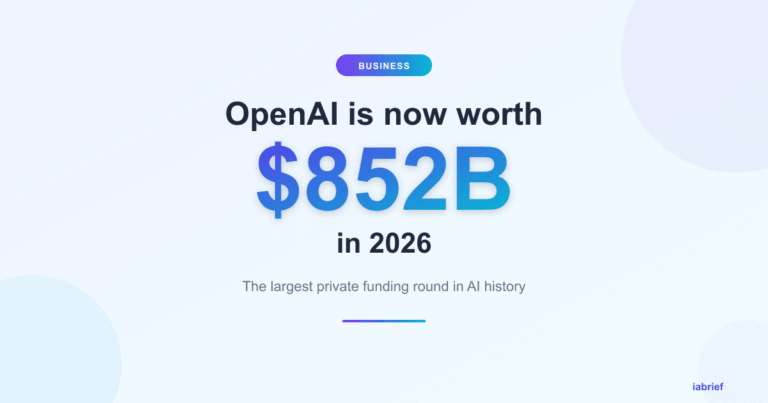
- OpenAI’s $852 Billion Valuation in 2026: The Largest Private Funding Round in History
- Week in AI: agents at work, Gemini in cars and AI beating doctors (May 3, 2026)
- How to Use Google Veo 3.1 to Create AI Videos: Step-by-Step Tutorial (2026)
Official sources
For deeper context, see the official sources and authoritative references below: